One WhatsApp number isn't enough for a growing business. You need separate numbers for sales, support, different cities, different brands. But managing multiple phones is chaos. Here's the solution.
Why Multiple Sessions?
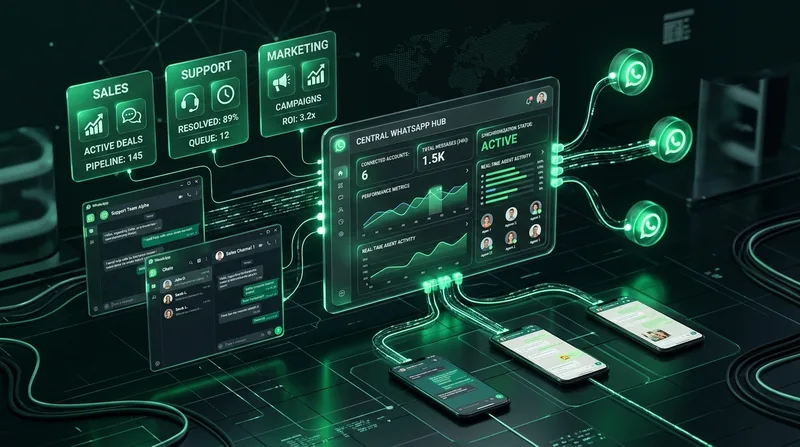
Real businesses need multiple WhatsApp numbers. One for Karachi sales. One for Lahore sales. One for customer support. One for wholesale orders. One for marketing campaigns. That's 5 phones, 5 SIMs, 5 chargers, 5 people checking messages. Or — one Wavvy dashboard.
How Multi-Session Works in Wavvy
Each WhatsApp number you connect is called a "session". Go to Sessions → Add New Session → Scan QR code with your phone. Done. The number is now connected to your dashboard. Repeat for each number you want to add.
Each session is independent. It has its own auto-reply rules, AI chatbot settings, and message history. You can configure different AI prompts for different numbers — sales bot on one number, support bot on another.
Session vs Phone
You don't need to keep the phone online after scanning QR. Wavvy uses WhatsApp Web protocol — it connects directly. Your phone can even be turned off. The session stays active on Wavvy's servers 24/7.
Managing Multiple Sessions
The Sessions page shows all your connected numbers with their status: Connected (green), Connecting (yellow), or Disconnected (red). You can see the phone number, connection status, and quick actions for each session.
Click any session to access its settings: configure AI chatbot, set up auto-replies, view message history, and manage auto-reply rules. Each session operates completely independently.
Auto-Reconnection
Internet drops? Server restarts? No problem. Wavvy automatically reconnects all your sessions. Your WhatsApp credentials are securely stored and sessions are restored automatically. Zero downtime, zero manual work.
Strategy: Distribute Your Sending
This is the biggest advantage of multi-session. Instead of sending 10,000 messages from one number (risky), use 5 numbers to send 2,000 each (safe). Lower risk per number, faster total delivery, and if one number has issues, the others continue working.
Session Limits by Plan
- Free: 2 sessions — test the system
- Starter: 10 sessions — small team
- Professional: 50 sessions — serious business
- Business: 200 sessions — enterprise level
Stop juggling multiple phones. Connect all your WhatsApp numbers to one Wavvy dashboard. Each number gets its own AI bot, auto-replies, and settings. One login, unlimited control. Set up in 2 minutes per number.