Your contacts are your business. If you're still managing customer numbers in phone contacts or random spreadsheets, you're losing customers. Here's how to organize them properly using Wavvy.
Why Contact Management Matters
You have 5,000 customers. Some are from Karachi, some from Lahore. Some bought shoes, some bought bags. Some are VIP repeat buyers, some are one-time customers. How do you send Eid offers to just Karachi shoe buyers? Without proper contact management — you can't.
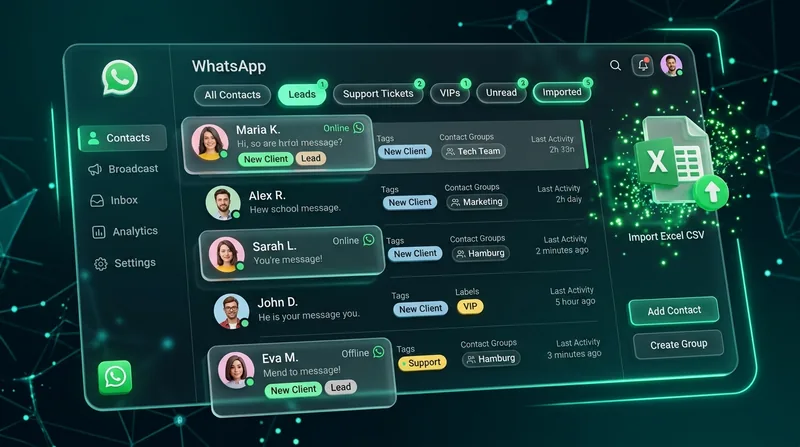
Wavvy's contact management system lets you import, organize, tag, and segment your customers. Send the right message to the right people at the right time.
Importing Your Contacts
Got contacts in Excel or Google Sheets? Export them as CSV. Go to Wavvy → Contacts → Import CSV. Map columns to fields (name, phone, city, etc.). Click import. Thousands of contacts added in seconds.
You can also add contacts manually one by one. Got a new customer? Add them right from the contacts page with name, phone number, and any custom notes you want.
Pro Tip
Always include the country code in phone numbers. Use 923001234567 format, not 03001234567. This ensures messages are delivered correctly when you run campaigns.
The Power of Tags
Tags are how you organize contacts into groups. Create tags like "Karachi", "VIP", "Interested in Shoes", "Wholesale Buyer", "Eid 2026 Customer". Assign multiple tags to each contact.
When creating a campaign, select tags to target. Send shoe sale messages to contacts tagged "Interested in Shoes". Send delivery updates to "Karachi" contacts only. The possibilities are endless.
Search and Filter
Got 10,000 contacts? No problem. Wavvy's search lets you find any contact instantly. Search by name, phone number, or tags. Filter contacts by tags to see specific groups. Export filtered lists for external use.
Using Contacts in Campaigns
When you create a bulk campaign, you can select contacts by tags. This means you don't need to create separate CSV files for each campaign. Just tag your contacts properly, then select the right tags when sending.
Example workflow: Import 5,000 contacts → Tag 2,000 as "Lahore" → Tag 500 as "VIP" → Create Eid campaign → Select "Lahore" + "VIP" tags → Send personalized messages to 500 VIP Lahore customers.
Contact Limits by Plan
- Free Plan: 100 contacts (5,000 messages/mo) — perfect for testing
- Starter: 1,000 contacts (100% Unlimited messages) — small businesses
- Professional: 2,000 contacts (100% Unlimited messages) — growing stores & brands
- Business: 10,000 contacts (100% Unlimited messages) — high-volume scale
Stop managing contacts in your phone. Import them to Wavvy, tag them properly, and start sending targeted campaigns. Your conversion rate will thank you. Takes 10 minutes to set up, saves hours every campaign.