Typing the same message 50 times a day? Writing order confirmations from scratch each time? Stop wasting time. Save them as templates. Click, send, done.
What Are Message Templates?
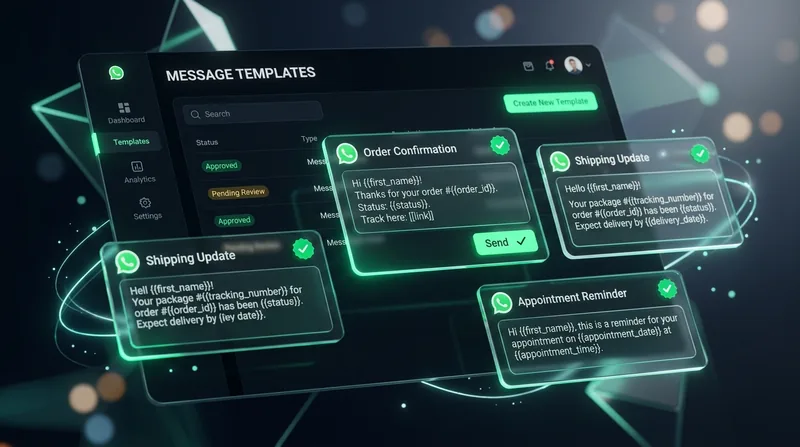
Message templates are pre-saved messages you can reuse. Instead of typing "Hi [name], your order #[number] has been confirmed. Total: Rs. [amount]. We'll ship within 24 hours" every single time — you save it once as a template and use it forever.
Wavvy lets you create unlimited templates (based on your plan). Each template can include text, emojis, and even media attachments like images, videos, or documents.
Creating Your First Template
Go to Templates → Create New → Give it a name (like "Order Confirmation") → Write your message → Save. That's it. Now when you need to send this message, just select the template from the dropdown on the Send Message page.
Templates Every Pakistani Business Needs
1. Welcome Message
Assalam o Alaikum! 👋 Welcome to [Your Brand]!
We're happy to have you here. Here's what we offer:
📱 Browse products: [link]
📞 Talk to us: Reply anytime
🎁 First order? Get 10% off with code WELCOME10
How can we help you today?
2. Order Shipped
🚚 Your order has been shipped!
Order: #[order_number]
Courier: Leopards
Tracking: [tracking_number]
Expected: 2-3 working days
Track your order: [tracking_link]
Questions? Just reply here!
3. Payment Reminder
Hi! 😊
Quick reminder about your order #[order_number].
Amount: Rs. [amount]
Payment options:
💳 Bank: HBL - 1234567890
📱 JazzCash: 0300-1234567
💵 COD (+ Rs. 50 fee)
After payment, send screenshot here!
4. Feedback Request
Hi [name]! 🙏
Your order was delivered! How was your experience?
Rate us:
⭐⭐⭐⭐⭐ = Amazing!
⭐⭐⭐⭐ = Good
⭐⭐⭐ = Average
Just reply with number of stars (1-5).
Your feedback helps us improve!
Using Templates in Campaigns
Templates aren't just for individual messages. When creating bulk campaigns, you can use templates as the message body. Combined with CSV variables, each recipient gets a personalized version of the template. "Hi {{name}}" becomes "Hi Ahmed" automatically.
Organization Tip
Name your templates clearly: "order_confirmation_v2", "eid_sale_2026", "delivery_update_leopards". When you have 50+ templates, naming matters. A good naming system saves you from scrolling through dozens of templates.
Templates save hours daily. Create them once, use forever. Start with 5 essential templates, add more as you discover repetitive messages. Every minute saved on typing is a minute earned for growing your business.